Connections
The Connections screen is a live socket table. Every TCP / UDP flow the OS knows about, refreshed every 2 seconds.
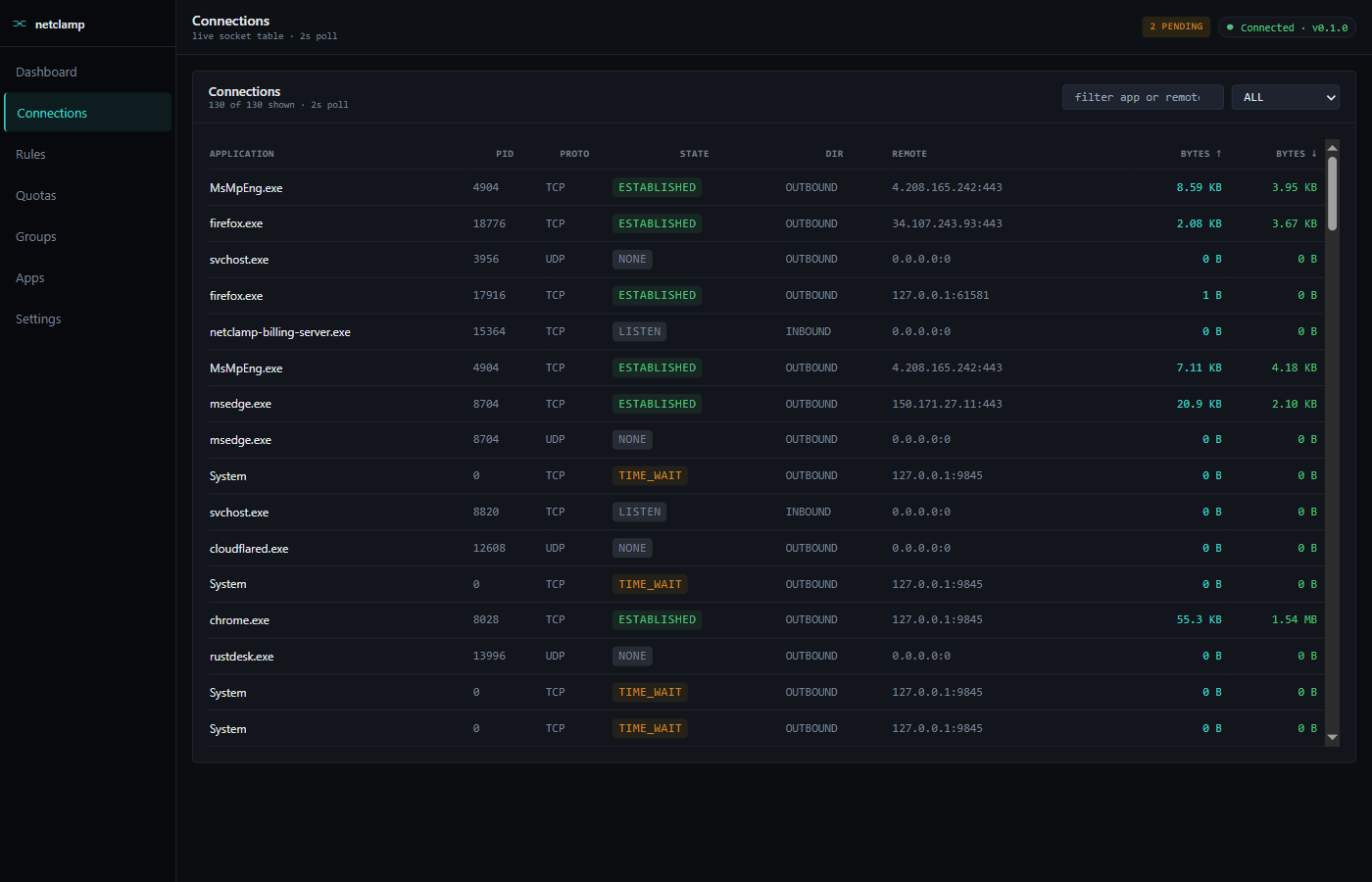
Columns
Application |
Process name. |
PID |
OS process id. |
Proto |
|
State |
TCP state ( |
Dir |
|
Remote |
|
Bytes ↑ / ↓ |
Cumulative since this socket opened. |
Filters
-
Search box — substring match against application or remote address. Case-insensitive.
-
State dropdown — filter to
LISTEN,ESTABLISHED,TIME_WAIT, … Useful for spotting dangling sockets.
Common workflows
"Who is this app talking to?"
Search by process name → look at the Remote column. Reverse-DNS lookup is not done by NetClamp (it would be slow + leak DNS for every flow), so the column is raw IPs. Use a separate WHOIS / IP-info tool.
"What’s that LISTEN socket?"
Filter to LISTEN. Anything bound on 0.0.0.0:port is reachable from
the network; 127.0.0.1:port is loopback-only. NetClamp itself listens
on 127.0.0.1:9845 (REST) and 127.0.0.1:9846 (gRPC) — they should
always show up.
"I want to block this specific flow"
Right now, rules match by app + (optional) remote address/port. There’s
no per-flow kill switch in the SPA. To kill a specific socket, use
netsh interface tcp delete tcpsocket — outside NetClamp’s scope.
Self-protect
NetClamp’s own service connections are filtered out of the Connections
view by the same self-protect filter that hides them on
Dashboard. You’ll never see netclamp-service.exe
or netclamp-tray.exe here.